
5 Ways NYC Property Owners Can Manage Building Security Remotely With Alarm.com
Key Takeaways
Alarm.com is a cloud-based security and automation platform that connects cameras, alarm sensors, and access control into a single unified interface. It is not simply an alarm monitoring service.
NYC commercial buildings that manage surveillance, intrusion detection, and access control through separate disconnected systems lose critical response time when incidents require cross-referencing data from multiple platforms.
Remote management through Alarm.com allows property managers to verify visitors, grant temporary access, review footage, and respond to alerts from anywhere without physical presence at the building.
Video verification linked to alarm events allows security teams to immediately assess whether an alert represents a real threat or a false trigger before dispatching a response, which directly reduces unnecessary disruptions in high-traffic commercial environments.
Alarm.com works best as part of a broader engineered security architecture alongside enterprise hardware from manufacturers including Axis, Avigilon, Bosch, Milestone Systems, and 2N, rather than as a standalone product layer over existing fragmented systems.
Commercial buildings in New York City handle a volume and variety of daily security interactions that most markets never approach. Delivery drivers throughout the day. Contractors requiring temporary access. Cleaning crews working overnight. Tenants expecting flexible entry while demanding a secure environment. All of it managed through systems that, in most buildings, do not communicate with each other.
A surveillance system records. An alarm panel monitors sensors. An intercom handles entry requests. An access control platform logs credential events. When something happens that requires investigation, a property manager must piece together information from each of those separate interfaces before the situation can even be understood, let alone responded to.
Alarm.com was designed to solve that fragmentation problem. It is a cloud-based security and automation platform that brings cameras, alarms, access control, and automation tools into a unified operational environment, accessible remotely from any authorized device.

What Alarm.com Actually Provides for Commercial Properties
Alarm.com is not an alarm monitoring service with a mobile app attached. It is a cloud-based platform that allows commercial property owners and managers to oversee multiple building security systems from a single interface, manage access remotely, receive alerts with immediate visual context, and maintain documented records of security events across the building.
In a commercial deployment, that means surveillance cameras, intrusion sensors, access control readers, and building automation tools all operate within the same ecosystem and share a common event layer. A door opening, a motion trigger, and a camera alert at the same location at the same time are a single correlated event in Alarm.com rather than three separate notifications in three separate systems.
Connextivity deploys Alarm.com alongside enterprise-grade hardware from partners including Axis, Avigilon, Bosch Radionix, Milestone Systems, and 2N. This combination allows clients with demanding security requirements to benefit from a simple, centralized user interface while running a professional-grade system architecture in the backend. The platform handles the operational layer. The hardware handles the performance requirements.
Five Ways Alarm.com Changes Building Security Operations
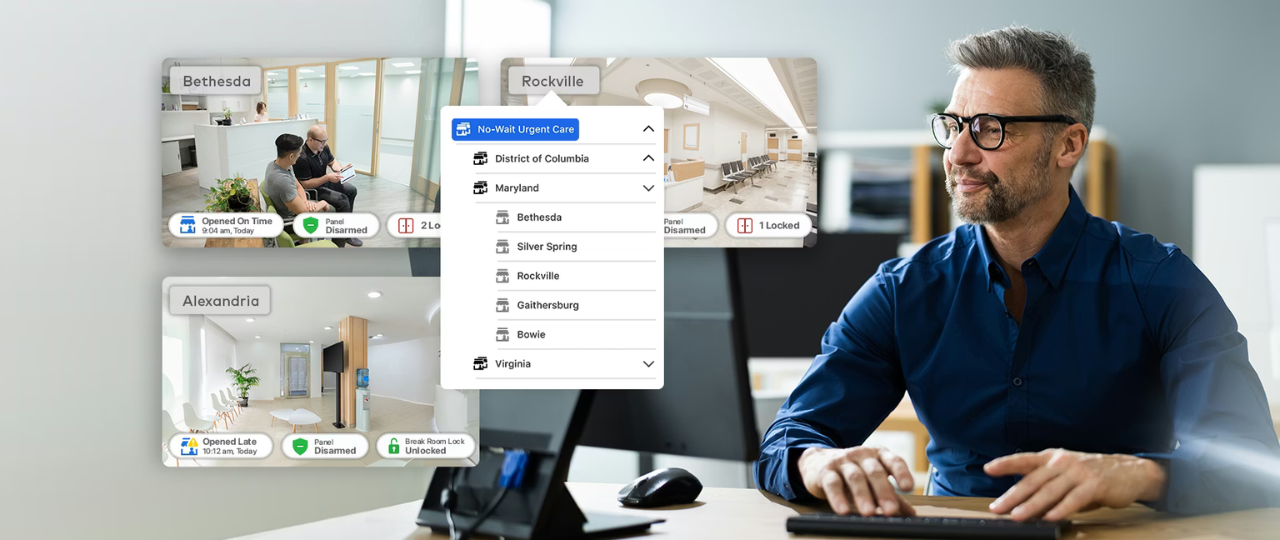
1. Unified monitoring across all security systems. The operational problem that Alarm.com addresses most directly is the fragmentation that characterizes most NYC commercial building security environments. When cameras, alarms, and access control operate through separate interfaces, incident investigation requires manual cross-referencing between platforms. By the time a property manager has pulled footage from the surveillance system, checked the alarm log, and reviewed the access control event history, the window for effective response has often passed. Alarm.com consolidates those data streams, so a triggered sensor automatically surfaces the associated camera view and the concurrent access event in a single interface. Investigation that previously took fifteen minutes of manual cross-referencing takes seconds.
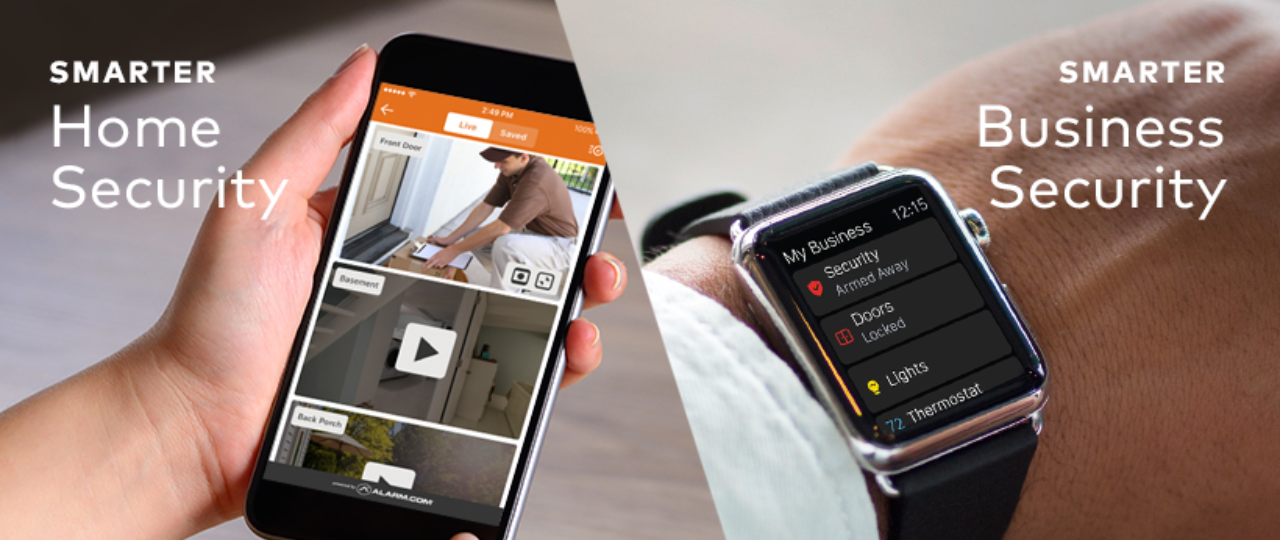
2. Remote access management without physical presence. Property managers overseeing multiple NYC locations cannot be physically present everywhere. Alarm.com allows authorized personnel to monitor building activity, manage access permissions, arm and disarm security zones, and respond to alerts from secure web and mobile interfaces regardless of location. The practical scenario this addresses most frequently: a contractor arrives early before front desk staff. With Alarm.com, the property manager verifies the contractor through the camera feed, remotely unlocks the service entrance for a time-limited window, and the system logs the event and restores standard security settings automatically. No one needs to be present. No door gets left propped. The access event is documented.
3. Video verification before response decisions. When an alarm event triggers in a high-traffic commercial building, the first operational question is whether the alert represents a real security concern or a false trigger. Alarm.com's video verification capability automatically associates camera footage with triggered alarm events, allowing security teams to visually assess the situation before committing to a dispatch response. In an environment where false alarms carry real operational costs, including staff disruption, police response friction, and repeated cry-wolf effects that reduce response quality over time, the ability to verify before responding rather than after has direct financial and operational value.
4. Temporary and scheduled access credentials. Managing contractor, vendor, and delivery access in a NYC commercial building without creating standing credential exposure is a persistent operational challenge. Alarm.com supports time-limited credential issuance that automatically expires, scheduled access windows for recurring vendors, and remote revocation for credentials that need to be cancelled immediately. This addresses the credential lifecycle gap that security assessments identify in most commercial buildings: credentials that were issued for a specific purpose and never deactivated, creating ongoing access that nobody intended to remain active.
5. Centralized multi-property visibility. For property management companies or owners overseeing multiple NYC buildings, Alarm.com's multi-site management capability provides centralized visibility across locations from a single dashboard. Rather than managing separate accounts and separate interfaces for each property, authorized users monitor all properties in a unified view with consistent alert handling and access management workflows. This operational efficiency is one of the primary drivers for Alarm.com adoption among portfolio-level property managers in New York.
How Alarm.com Fits Into a Broader Security Architecture
Alarm.com performs best as part of a coordinated security architecture rather than as a layer added over existing fragmented hardware. The platform's value is integration — and integration requires that the systems being connected are themselves properly configured and performing correctly.
A deployment that combines Alarm.com's unified management layer with properly engineered security cameras, access control, and alarm systems produces a genuinely unified security environment where entry events, surveillance, and alert data share a coherent operational picture. A deployment that connects Alarm.com to systems that were never assessed, configured inconsistently, or installed without integration planning produces a more visible version of the same underlying gaps.
This is why a security assessment before platform deployment produces better outcomes than platform deployment before assessment. The assessment identifies what the underlying systems need to deliver, which determines whether Alarm.com integration is the right operational layer for the specific environment or whether infrastructure work needs to precede it. The sequencing argument is covered directly in security assessment before new security gear.
Alarm.com also integrates with Milestone Systems video management software, which allows properties already running Milestone for enterprise surveillance to benefit from Alarm.com's unified interface and remote management capabilities without replacing their existing VMS infrastructure.
Where Alarm.com Fits Within NYC's Commercial Security Landscape
NYC commercial buildings operate under specific conditions that make centralized remote management particularly valuable relative to other markets. Property managers commonly oversee multiple locations. Delivery and vendor traffic volumes create access management demands that manual processes cannot handle at scale without degrading verification quality.
Tenant turnover generates credential lifecycle events that require consistent management. And after-hours access needs create scenarios that legacy systems force into a choice between operational friction and security compromise. Alarm.com's architecture addresses all of these conditions directly. The platform was not designed for a simplified suburban security environment and adapted for commercial use.
It was built for the operational complexity that multi-tenant, high-traffic commercial buildings actually present. For commercial and business properties, residential and multifamily buildings, and industrial and logistics facilities where remote management of distributed access points is a daily operational requirement, the combination of Alarm.com's platform and enterprise-grade hardware from Connextivity's certified manufacturer partners provides a security infrastructure that matches how these buildings actually need to operate.
FAQs
What is Alarm.com and how does it differ from a standard alarm monitoring service?
Alarm.com is a cloud-based security and automation platform that unifies surveillance cameras, intrusion sensors, access control systems, and building automation tools into a single interface with remote management capability. Standard alarm monitoring services receive alerts and dispatch responses. Alarm.com provides the operational management layer that connects all security systems, allows remote control and verification, automates response workflows, and maintains documented event records across the building. The distinction is between passive monitoring and active operational management.
Can Alarm.com integrate with existing cameras and access control systems in a NYC building?
Alarm.com integrates with a range of enterprise security hardware including cameras from Axis and Avigilon and video management systems including Milestone Systems. Whether existing hardware in a specific building is compatible depends on the specific equipment and its current configuration. A site assessment before any platform deployment is the appropriate way to evaluate compatibility and identify whether infrastructure adjustments are needed before integration will perform correctly.
How does Alarm.com handle temporary contractor and vendor access in a commercial building?
Alarm.com supports time-limited credential issuance that automatically expires at a specified time, scheduled access windows for recurring vendors with defined hours, and remote revocation for immediate cancellation of any credential. For NYC commercial buildings where contractor and vendor access is a frequent operational requirement, these capabilities address the credential lifecycle management gap that is one of the most common findings in security assessments of commercial properties.
Is cloud-based security management safe for NYC commercial buildings?
Alarm.com uses encrypted communication and secure authentication for all remote access. The platform's cloud architecture means that security management is not dependent on a single on-site server that can be physically compromised. For buildings with stringent data security requirements or regulatory constraints on cloud-connected systems, Connextivity evaluates the specific requirements and determines whether Alarm.com's architecture is appropriate or whether an on-premise management platform is the better fit.
What hardware partners work best with Alarm.com in commercial deployments?
Connextivity deploys Alarm.com alongside enterprise hardware from Axis Communications, Avigilon, Bosch Radionix, Milestone Systems, and 2N, depending on the specific requirements of the engagement. The platform integration performs best when the underlying hardware was selected and configured for the specific security requirements of the building rather than being carried over from a previous installation without evaluation. A security assessment before platform deployment determines which hardware and integration configuration is appropriate for the specific commercial environment.
Conclusion
The core operational problem that Alarm.com addresses in NYC commercial buildings is fragmentation: security systems that function independently, require separate management interfaces, and cannot provide unified context when something requires investigation or response. That fragmentation is the norm rather than the exception in the NYC commercial building stock, and its costs are measured in delayed incident response, inconsistent access management, and documentation gaps that create liability exposure. Alarm.com provides the unified operational layer that connects those systems.
Combined with properly engineered enterprise hardware and an access architecture that was assessed before the platform was deployed, it gives property managers the centralized visibility and remote management capability that managing a high-traffic NYC commercial building actually requires. The platform adds the most value when the underlying security architecture was designed rather than accumulated. For buildings where that design work has not been done, the right starting point is an assessment that establishes what the systems need to deliver before deciding what platform should manage them.
Managing a NYC commercial building across disconnected security systems and spending too much time cross-referencing platforms when something happens?
Connextivity designs and installs commercial security systems that integrate Alarm.com with enterprise-grade hardware from Axis, Avigilon, Bosch Radionix, Milestone Systems, and 2N. Every deployment starts with an assessment of the building's actual security and operational requirements before any platform or hardware is specified. Contact us to schedule a consultation.
Related Articles
Commercial Alarm Systems NYC: What Businesses Need to Know Before Choosing a System
Access Control and Video Integration: Why NYC Buildings Need Both Working Together
Why Your Security Systems Will Fail Without Preventative Maintenance
Security Assessment Before New Security Gear: Why the Sequence Matters
Professional Security Camera Installation NYC: What Building Owners Need to Know